
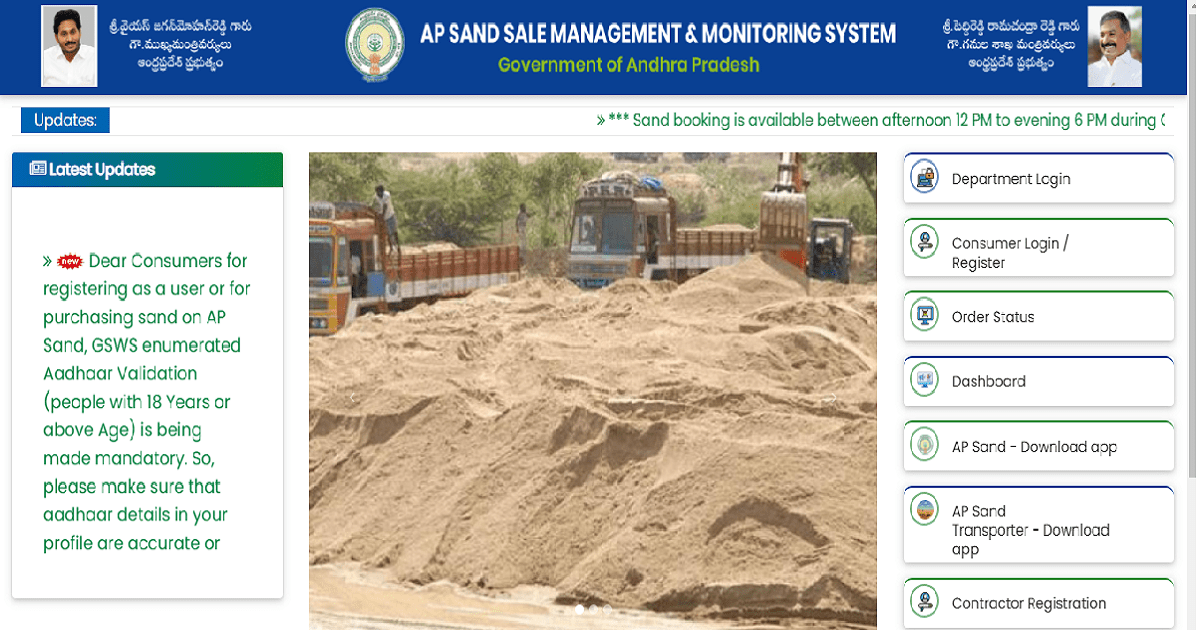
Building something in Andhra Pradesh and need sand? The state government built a portal specifically for this. You go to sand.ap.gov.in, create an account, pick how much sand you need and where it should go, pay online and that is largely it. The old way of calling around and negotiating with truck owners is not necessary anymore.
People come to this page for different reasons. Some are new to the portal and have no idea where to start. Others already have an account but cannot get the login to work. And a few are here specifically because they heard something about free sand for housing scheme beneficiaries. This guide has all three covered.
- What is the AP Sand Portal?
- AP Sand Booking Online — How to Register at sand.ap.gov.in
- AP Sand Booking Login — How to Access Your Account
- How to Book Sand Online in AP — Step by Step
- AP Sand Booking Price — Current Rates in 2026
- Free Sand Booking in AP — Who is Eligible?
- AP Sand Management System App
- How to Track Your AP Sand Order
- AP Sand Portal Website — sand.ap.gov.in
- AP Sand Management System is Open Now — How to Check
- Conclusion
What is the AP Sand Portal?
Andhra Pradesh set up a centralised sand management system to bring some order to what was a fairly chaotic market. The portal lives at sand.ap.gov.in and is run by the Mines and Geology Department. Anyone who needs sand for construction in the state is supposed to book through here rather than going directly to sand suppliers.
Two things drove the government to build this. First, illegal sand mining was rampant and hard to track. Second, prices were all over the place because middlemen controlled supply. Putting everything through a single portal with fixed government rates was the fix. Whether it has worked perfectly is another question, but the system is functional and most people find it workable once they get past the registration.
|
Detail |
Information |
|
Official Website |
sand.ap.gov.in |
|
Portal Name |
AP Sand Management System |
|
Department |
Mines and Geology Department, Govt of Andhra Pradesh |
|
Purpose |
Online sand booking, delivery tracking and price regulation |
|
Access |
Web browser and Android mobile app |
|
Registration |
Aadhaar-based, free of charge |
AP Sand Booking Online — How to Register at sand.ap.gov.in
You cannot book anything until you have registered. The registration itself does not cost anything and most people get through it in under ten minutes if they have their Aadhaar details handy.
Registration Steps for AP Sand Portal
- Open sand.ap.gov.in on your phone or computer
- Click on New Registration or the Register button on the homepage
- Enter your Aadhaar number — this is mandatory for verification
- Enter your mobile number linked to Aadhaar
- An OTP will be sent to your registered mobile number
- Enter the OTP and complete Aadhaar-based verification
- Fill in your name, address and the purpose of booking (construction or commercial)
- Upload required documents if prompted
- Submit and note your registration number
Once registered, your login credentials are your Aadhaar-linked mobile number and the password you set.
AP Sand Booking Login — How to Access Your Account
After registration, log in at sand.ap.gov.in to book sand or check your order status.
Login Steps
- Go to sand.ap.gov.in
- Click on Login on the homepage
- Enter your registered mobile number
- Enter your password or request an OTP login
- Click Submit to access your account dashboard
If you forget your password, use the Forgot Password option on the login page. An OTP will be sent to your registered Aadhaar-linked mobile number to reset it.
Common Login Issues
- Mobile number not recognised: Use the number linked to Aadhaar at time of registration
- OTP not received: Check mobile signal and try again after 2 minutes
- Account blocked: Contact the AP Sand Management helpline
How to Book Sand Online in AP — Step by Step
With your account ready and logged in, placing an order is fairly straightforward. Work through these steps in order.
- Log in to sand.ap.gov.in with your credentials
- Click on Book Sand or New Booking from your dashboard
- Select your district and the sand supply point (reach point) closest to you
- Select the quantity of sand you need in metric tonnes
- Select vehicle type — trolley or truck
- Enter the delivery address or site address where sand is needed
- Review the total cost including sand price and transportation charges
- Make payment online through net banking, debit card, credit card or UPI
- Download or save the booking confirmation and order number
- Wait for delivery confirmation SMS with vehicle number and estimated delivery date
Keep your booking order number safe. You will need it to track the delivery and raise any disputes.
AP Sand Booking Price — Current Rates in 2026
Price is probably the thing people most want to know before they start the booking. The state government sets a base rate and transportation is added on top depending on how far the delivery point is from your location. Here is roughly what to expect.
|
Sand rate in AP is determined by the government on a district-wise basis. The base price is set by the government and transportation charges are added based on the distance from the reach point to your delivery location. Check sand.ap.gov.in for the exact current rate in your district. |
AP Sand Price Per Truck in 2026
|
Category |
Approximate Rate |
|
Sand base price (government fixed) |
Rs 450 to Rs 550 per metric tonne |
|
Transportation charges |
Varies by distance from reach point |
|
1 trolley (approx 5 MT) |
Rs 2,500 to Rs 4,000 approx |
|
1 truck (approx 10 to 12 MT) |
Rs 5,500 to Rs 8,000 approx |
|
Isuka (sand) price per MT |
Rs 450 to Rs 550 per metric tonne |
|
Isuka price in AP today: Isuka means sand in Telugu. The isuka price follows the government-fixed rate on sand.ap.gov.in. Base rate is approximately Rs 450 to Rs 550 per metric tonne depending on district. Check the portal for the exact current rate for your area. |
Note: Prices above are approximate. Actual prices vary by district and distance. Always verify the current rate on sand.ap.gov.in before booking as rates are subject to periodic revision.
Free Sand Booking in AP — Who is Eligible?
There is a free sand provision attached to the portal but it is not for everyone. It specifically covers people who are already enrolled in government housing schemes. If you are not in one of those schemes, you will pay the standard rate. Here is who qualifies and how to check.
|
The AP government provides free sand for house construction under PMAY (Pradhan Mantri Awas Yojana) beneficiaries and YSR Jagananna Housing Scheme beneficiaries. Eligible beneficiaries book through the same sand.ap.gov.in portal at no base cost, though transportation charges may still apply. |
Who Can Get Free Sand in AP
- Beneficiaries of PMAY (Pradhan Mantri Awas Yojana) rural and urban schemes
- Beneficiaries of YSR Jagananna Housing Scheme
- BPL (Below Poverty Line) families constructing first homes
- Other state government housing scheme beneficiaries
How to Check Free Sand Eligibility
- Log in to sand.ap.gov.in
- Go to the beneficiary check or housing scheme section
- Enter your Aadhaar number and scheme reference number
- Portal confirms whether you are registered as an eligible beneficiary
- If eligible, select the free sand booking option during the booking process
If your name does not appear as a beneficiary, contact your local Grama Sachivalayam or the Revenue Department for verification.
AP Sand Management System App
The AP Sand Management System is also accessible through a mobile application for easier access on smartphones.
- Available on Android via the Google Play Store
- Search for AP Sand Management or AP Sand Portal on the Play Store
- The app allows registration, login, booking and order tracking on mobile
- OTP-based login works the same way as on the web portal
- Push notifications for delivery updates available on the app
If you are facing issues on the app, the web portal at sand.ap.gov.in is the primary platform and always accessible on any browser.
How to Track Your AP Sand Order
After booking, you can track your sand delivery through the portal.
- Log in to sand.ap.gov.in
- Go to My Orders or Order Status from your dashboard
- Enter your booking order number
- Portal shows current status: confirmed, dispatched or delivered
- You will also receive SMS updates on your registered mobile when vehicle is dispatched
If your order status has not updated in more than 48 hours after the expected delivery date, contact the AP Sand Management helpline with your order number.
AP Sand Portal Website — sand.ap.gov.in
Several searches come in for variations of the portal URL. The correct official URL is:
|
Official URL: sand.ap.gov.in No www prefix needed. Type sand.ap.gov.in directly into your browser. This is the only official platform managed by the Government of Andhra Pradesh, Mines and Geology Department. |
Avoid using third-party websites that claim to offer AP sand booking. The .gov.in domain confirms it is a genuine government site. If in doubt, search for AP Sand Management System on Google and click only the result showing sand.ap.gov.in.
AP Sand Management System is Open Now — How to Check
One of the most searched phrases is AP sand management system open now. The portal is generally available 24 hours but booking slots depend on stock availability at reach points.
- The portal at sand.ap.gov.in is available throughout the day
- Booking slots for sand delivery are based on stock at reach points
- Some districts may have limited availability due to supply constraints
- Log in and check availability at your nearest reach point before booking
- If no slots available, check again next day as stock is replenished regularly
You may also read :
Conclusion
Sand.ap.gov.in is not a perfect system but it works well enough for most people once you get through the registration. The prices are government-controlled, the process is online and the days of dealing with sand suppliers directly at whatever price they wanted are largely over for buyers who use it.
Register once, book when you need sand, pay online and track it from your phone. The free sand provision is a genuine help for people who are in a housing scheme and would otherwise struggle to afford the cost. That part of the system deserves more awareness than it gets.
If you are mid-construction or planning a build in Andhra Pradesh, booking through the portal first before going anywhere else just makes sense. The government rate is the reference point for everything else anyway.
FAQs : AP Sand Portal and Online Booking
1. What is the AP Sand Portal?
It is the state government’s portal for buying sand in Andhra Pradesh. You register once, then use it whenever you need to book a sand delivery. The Mines and Geology Department runs it and the whole point is that prices are fixed and you deal directly with the system rather than hunting for a supplier yourself.
2. How to book sand online in Andhra Pradesh?
Go to sand.ap.gov.in, create your account with Aadhaar and mobile number, then log in. From the dashboard pick New Booking, choose your district and the nearest reach point, enter how many metric tonnes you need and where it is going. Pay online, save the confirmation number and you will get an SMS once the truck is on its way.
3. What is the website address of the AP Sand Portal?
Just type sand.ap.gov.in directly into your browser. No www before it. That is the official government site and the only place you should be booking sand. If you see other websites offering the same thing, ignore them.
4. What is the sand rate in AP today?
The base rate runs roughly Rs 450 to Rs 550 per metric tonne, but what you actually pay depends on your district and how far the delivery point is from your site. Transport charges stack on top. The portal shows the exact current figure for your area when you start a booking, so check there rather than relying on any number you heard elsewhere.
5. What is 1 truck sand price in AP?
A standard truck carries around 10 to 12 metric tonnes and with transport included you are looking at roughly Rs 5,500 to Rs 8,000 depending on where you are. That range is wide because distance from the reach point makes a real difference to the final number. Book through the portal to get the government rate.
6. How to login to sand.ap.gov.in?
Open sand.ap.gov.in and hit the Login button. Your registered mobile number goes in first, then your password. If you would rather get an OTP, that option is there too. Forgot your password? Use the reset link on the same page and they will send an OTP to your Aadhaar-linked number.
7. Who is eligible for free sand booking in AP?
If you are already enrolled in PMAY, YSR Jagananna Housing Scheme or a similar BPL housing programme, you are likely eligible. You still book through sand.ap.gov.in but the base price does not apply to you. Delivery charges may still come up. Put your Aadhaar and scheme reference number into the portal to confirm whether you show up as a beneficiary.
8. Is the AP Sand Management System open now?
The portal itself stays up around the clock. Whether you can actually place a booking depends on whether stock is available at your nearest reach point. If nothing shows up when you try, it usually means that point is out of stock for now. Try again the next day, stock gets replenished regularly and slots open back up.
9. What is the AP Sand Management System app?
There is an Android app you can pull from the Play Store. Search AP Sand Management System or AP Sand Portal and install it. Does everything the website does, just on your phone. If you run into glitches on the app, the web version at sand.ap.gov.in is the more reliable fallback.
10. How to track an AP sand order?
Log in, go to My Orders or Order Status, type in your booking number and you will see where things stand. The portal shows confirmed, dispatched or delivered. You will also get an SMS to your registered number when the truck actually leaves. If the status has not changed after the expected delivery window, call the helpline with your order number.