
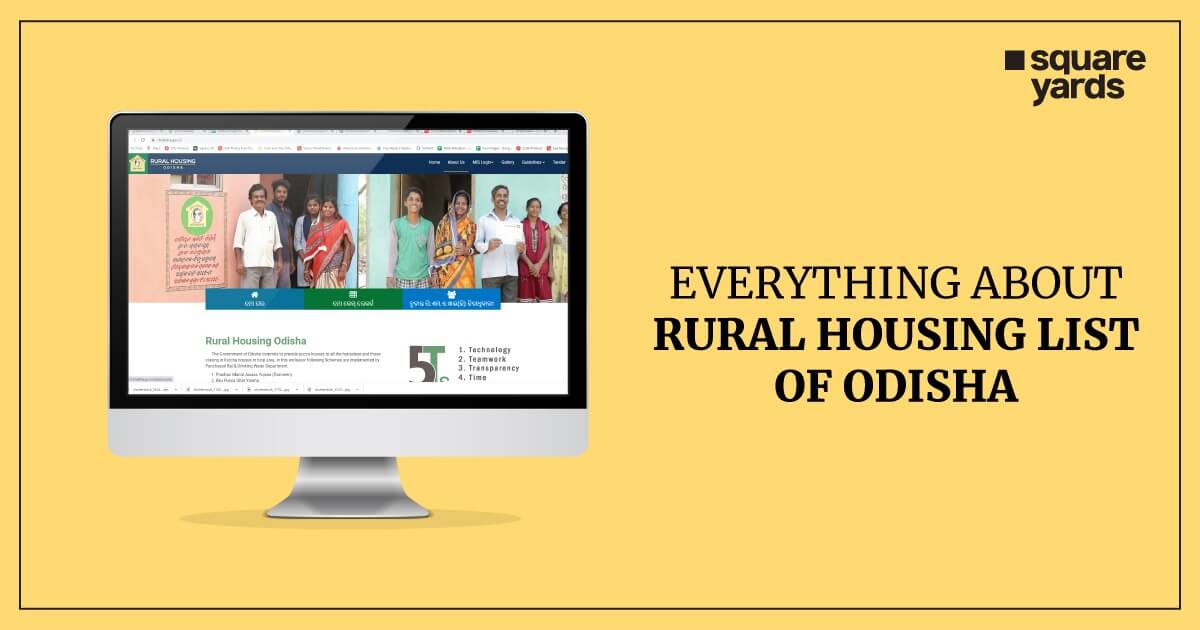
Planning to check whether your pucca house application went through? You don’t need to head to the panchayat office for that anymore. The Odisha government hosts the entire rural housing record on rh.odisha.gov.in, and you can search it by district, block, panchayat, or even your own village name. In this guide, we’ll walk through finding your name in the list, pulling a PDF copy, checking the Biju Pakka Ghar list separately, and understanding what each scheme actually covers.
A quick note before you start: the Rural Housing portal now also runs at rh.odisha.gov.in, and that’s the address the department uses on its own pages and scheme guidelines. Older links and guides, including some steps below, still say rh.odisha.gov.in. Both lead to the same rural housing records, so use whichever opens for you.
What Is the RH Odisha Rural Housing List?
It’s essentially the state’s official record book – every house that’s been sanctioned, is under construction, or has been completed under Odisha’s rural housing schemes shows up here. The Panchayat Raj and Drinking Water Department maintains it, and it lives on rh.odisha.gov.in.
What makes it useful is the geo-tagging. Every entry is pinned to an actual location on a map, not just listed by name. These are the schemes the department currently lists on the portal:
- Pradhan Mantri Awaas Yojana – Gramin (PMAY-G)
- PM-JANMAN, for Particularly Vulnerable Tribal Groups
- Antyodaya Gruha Jojana (AGJ), Odisha’s own state scheme
- Pucca Ghar Yojana for Mining-Affected Areas
- Nirman Shramik Pucca Ghar Yojana (NSPGY)
At the core, the idea is straightforward – get families out of kutcha (mud or temporary) homes and into pucca (permanent) ones, wherever they qualify.
If you’re wondering where Biju Pucca Ghar Yojana went, it’s no longer in the department’s list of running schemes. Odisha’s state-funded housing now comes under Antyodaya Gruha Jojana. Houses already sanctioned under BPGY are still part of the record, though, so you can still find them in the village-wise search.
How to Check the RH Odisha New List Village Wise
This takes about two minutes on your phone, and there’s nothing complicated about it:
- Go to rh.odisha.gov.in.
- Tap the “House” tab – or just go straight to rh.odisha.gov.in/house/.
- Pick your district first, then block, panchayat, and finally village from the dropdowns.
- Hit Search.
- You’ll now see every house sanctioned or built in that village, beneficiary names included, along with the geo-tagged location.
Not sure of your exact panchayat name? Your ration card or voter ID usually has it printed.
Why Search Village Wise Instead of by District?
Odisha has close to 30 districts and thousands of villages under them. A district-level list would just bury you in irrelevant entries. Going village wise cuts straight to your area – much quicker than scrolling through a bulky PDF trying to find one name.
What the Village-Wise List Tells You
Finding a name is only half the job. The other half is reading what the entry says. Each row usually shows the beneficiary’s name, the scheme the house was sanctioned under, and how far the house has got. The house could still be at the sanctioned stage, or be under construction, or be complete.
So if your name shows up but the house is still marked as sanctioned months later, it’s worth asking your Block Development Office (BDO) which instalment is pending and why. If your name doesn’t show up at all, check the spelling and the village you picked first, since many entries are typed the way they appear in the survey or ration card.
How to Download the RH Odisha New List PDF (2026)
There isn’t always a neat “Download PDF” button sitting on the portal, which trips a lot of people up. The workaround is simple, though: finish your village-wise search as described above, then use your browser’s print option and save the result as a PDF instead of printing it.
If you specifically need a PMAY-G beneficiary record in a cleaner, official format, there’s a slightly different route through the central portal:
- Head to pmayg.nic.in.
- Go to Reports, then Beneficiary Details under Social Audit Reports.
- Enter your Selection Filters – state Odisha, then your district, block, and panchayat.
- Click Submit.
- You’ll get the option to download in Excel or PDF from the tabs that appear.
On a phone, the same trick works. Open the browser menu after the list loads, tap Share or Print, and choose “Save as PDF”. Name the file with your village and the date, so you know which version you saved when the list changes later.
How to Check the Panchayat House List in Odisha
Want to see every house across an entire panchayat rather than just one village? That’s the panchayat house list, and it covers entries from BPGY, PMAY-G, or any other scheme sanctioned in that area.
- Open rh.odisha.gov.in/house/
- Choose your district and block
- Select the panchayat and stop there – no need to pick a village if you want the whole panchayat view
- Click Search and you’ll get every village and house entry under that panchayat
This is particularly handy if you’re a panchayat official, a local representative, or just someone keeping tabs on housing progress across several villages at once.
How to Check the Biju Pakka Ghar List 2026
The Biju Pakka Ghar list is really just the BPGY slice of the bigger RH Odisha database – beneficiaries approved specifically under Odisha’s own state-funded scheme. The process to check it is nearly identical:
- Go to rh.odisha.gov.in
- Open the House search tab
- Fill in district, block, panchayat, and village
- Scan the results for entries marked BPGY (Normal) or BPGY (Special)
One thing worth knowing: PMAY-G runs on central government funding, while BPGY is entirely state-funded. That’s why BPGY sometimes covers households PMAY-G’s criteria would otherwise leave out.
Since BPGY has made way for Antyodaya Gruha Jojana, you’ll mostly see BPGY tags on older sanctions. For newer state-funded houses, look for entries under Antyodaya Gruha Jojana instead.
How to Check the Antyodaya Gruha Yojana List
Antyodaya Gruha Jojana (AGJ), often written as Antyodaya Gruha Yojana, is Odisha’s state scheme for rural families who’ve been left out of other housing schemes. Its beneficiaries appear in the same rural housing record, so the search is the one you already know:
- Open rh.odisha.gov.in and go to the House search.
- Pick your district, block, panchayat and village.
- Click Search.
- Look for entries sanctioned under Antyodaya Gruha Jojana in the results.
There’s no fully online application for AGJ. Instead, the AGJ page on the portal has an application form you can download and fill in. You then submit it, with your documents, at your Gram Panchayat office or Block Development Office. After that, officials verify the details on the ground, and the Collector sends the list of eligible families to the department for sanction. If you’ve applied but your name isn’t showing up, your Block Development Office is the place to ask.
RH Odisha MIS Login – How Officials Check Data Entry
This part isn’t for beneficiaries – MIS login exists for panchayat and department staff who enter or verify housing records on the back end. If that’s you, here’s the path:
- Visit rh.odisha.gov.in
- Click SSO Login in the top menu. This is the login that used to be labelled MIS Login.
- Sign in with the official credentials issued to you.
- Open the module you need. The options you see depend on your role, for example house sanction, payments or geo-tagging records for the scheme you handle.
Older guides list tabs such as BPGY (Titli) and BPGY/NSPGY. Since BPGY has been replaced by Antyodaya Gruha Jojana, those labels may no longer appear. If you can’t find a module, check with your block office. Field staff also update construction progress through the Ama Ghara mobile app, which is linked to the portal.
If you’re just trying to check your own house status as a beneficiary, skip this entirely and use the public House search tab instead – no login required there.
Rural Housing Schemes in Odisha – Explained Simply
Five schemes currently sit under Odisha’s rural housing umbrella, and they don’t all work the same way. Here’s a quick breakdown of each, followed by Biju Pucca Ghar Yojana, which you’ll still see on older records.
Pradhan Mantri Awaas Yojana – Gramin (PMAY-G)
This is the central government’s scheme – it used to be called IAY before the name changed. It’s meant for rural families who are either homeless or squeezed into one or two kutcha rooms, based on the SECC-2011 survey. The assistance amount depends on where you live: ₹1.3 lakh in IAP districts (the ones affected by left-wing extremism or largely tribal), and ₹1.2 lakh elsewhere. On top of that, there’s ₹12,000 for a toilet through MGNREGS convergence, plus paid labour days – 95 days in IAP areas, 90 in the rest.
PM-JANMAN
PM-JANMAN is a central mission for Particularly Vulnerable Tribal Groups (PVTGs), and housing is one part of it. Under it, eligible families get ₹2 lakh to build a pucca house of 25 square metres. In Odisha, it covers PVTG families across 14 districts.
Antyodaya Gruha Jojana (AGJ)
This is now Odisha’s own state-funded housing scheme, launched in March 2025. It gives ₹1.2 lakh to eligible rural households so they can build a pucca house, usually within 12 months of the first instalment. It’s meant for families who were left out of other housing schemes, along with:
- households hit by natural or man-made calamities
- families displaced by development projects
- households where the main earning member has a disability
- Forest Rights Act beneficiaries
Under AGJ (Special), the state also pays an incentive to beneficiaries of any rural housing scheme who finish building early.
Biju Pucca Ghar Yojana (BPGY)
BPGY is Odisha’s own answer to PMAY-G, launched back in 2014-15 as a replacement for the older MO-Kudia Yojana. It splits into two tracks:
- BPGY (Normal) – covers general beneficiaries, funds incentives for NGOs and CBOs, and rewards families who finish construction ahead of schedule.
- BPGY (Special) – steps in for families whose homes were wrecked by floods, cyclones, fire, elephant attacks, or other calamities, plus those displaced by government projects or protected under the Forest Rights Act, 2006.
BPGY is no longer in the department’s list of running schemes, and its role has been taken over by Antyodaya Gruha Jojana. Houses sanctioned under it earlier are still part of the record.
Pucca Ghar Yojana for Mining-Affected Areas
A joint effort between the Odisha Mineral Bearing Areas Development Corporation (OMBADC) and the Panchayat Raj Department, this one targets families hit hardest by mining activity – think Angul, Dhenkanal, Jajpur, Jharsuguda, Koraput, Mayurbhanj, Sundargarh, and Keonjhar. So far it’s reached over 681 mining-affected villages.
Nirman Shramik Pucca Ghar Yojana (NSPGY)
This scheme is aimed specifically at construction workers registered with Odisha’s Building and Construction Workers’ Welfare Boards. The Welfare Board handles the funding side; the Panchayat Raj and Drinking Water Department actually gets the houses built.
All Schemes at a Glance
|
Scheme |
Funded by |
Who it’s for |
Assistance |
|
PMAY-G |
Centre and state |
Homeless or kutcha-house families from the government survey list |
₹1.3 lakh (IAP) or ₹1.2 lakh (non-IAP) |
|
PM-JANMAN |
Centre |
Particularly Vulnerable Tribal Group families |
₹2 lakh for a 25 sq m house |
|
Antyodaya Gruha Jojana |
State |
Families left out of other schemes, calamity-hit, displaced, PwD-headed and FRA households |
₹1.2 lakh |
|
Pucca Ghar Yojana (Mining) |
OMBADC and state |
Families in mining-affected areas |
As per scheme rules |
|
NSPGY |
Construction Welfare Board |
Registered construction workers |
As per scheme rules |
RH Odisha Instalment Pattern – How the Money Is Released
Funds don’t land in one go. They’re released across four instalments, and each one is tied to a specific construction milestone rather than a calendar date.
|
Instalment |
When It’s Released |
Amount |
|
1st |
After the work order is placed |
₹20,000 |
|
2nd |
After the lintel level is completed |
IAP: ₹35,000 / Non-IAP: ₹30,000 |
|
3rd |
After the house (including roof) is completed |
IAP: ₹45,000 / Non-IAP: ₹40,000 |
|
Final |
After sanitation work is done and beneficiary moves in |
₹30,000 |
|
Total |
– |
IAP: ₹1,30,000 / Non-IAP: ₹1,20,000 |
It’s a fairly deliberate setup – tying payment to progress makes sure the money actually goes into building the house, not somewhere else.
This table follows the PMAY-G pattern. Other schemes, such as AGJ and PM-JANMAN, also pay in stages linked to construction progress, but their amounts and number of instalments are set by their own guidelines. Every payment goes straight into the beneficiary’s bank account.
Who Is Eligible for Rural Housing in Odisha?
Broadly speaking, you’d fall into one of these buckets:
- Homeless rural households, or those living in fewer than two kutcha rooms, as identified in the SECC-2011 survey
- Families whose homes were destroyed in a natural disaster or calamity – this falls under BPGY Special
- Households in districts affected by mining activity
- Registered construction workers under Odisha’s Building and Construction Workers’ Welfare Board, covered through NSPGY
- Rural families left out of other housing schemes, displaced households, families whose main earner has a disability, and Forest Rights Act beneficiaries, now covered under Antyodaya Gruha Jojana
- Families from Particularly Vulnerable Tribal Groups, covered under PM-JANMAN
That said, ticking these boxes doesn’t guarantee approval on its own – your name actually showing up in the village-wise list on rh.odisha.gov.in is the real confirmation.
One more thing: a family that has already received a house under any government housing scheme can’t get another one. That rule applies across PMAY-G, PM-JANMAN and AGJ.
Need Help? Where to Go
If something in the list looks wrong, or your instalment is stuck, start with your Block Development Office, since the block enters and updates the records. For general questions, call the toll-free helpline shown on the portal, 1800-121-9421.
Wrapping Up
At the end of the day, checking your RH Odisha new list status is a five-minute job now, not a trip anywhere. Search by district, block, panchayat, and village on rh.odisha.gov.in, and you’ll know exactly where things stand – PMAY-G, Antyodaya Gruha Jojana or an older Biju Pucca Ghar sanction, whichever scheme applies to you. And if you’re doing this on behalf of a family member, or tracking things for your panchayat, the same portal handles PDF downloads, the Biju Pakka Ghar list, and MIS access for officials too. Worth bookmarking, since the list keeps getting updated as new houses are sanctioned.
Don’t miss It!
| Rural Housing Odisha | All About Rural Housing in Odisha |
| Rural Housing Scheme | How to Apply for Rural Housing Scheme? |
| Rural Housing Loan | Rural Housing Loan & Interest Rates |
Frequently Asked Questions
1. How can I check the RH Odisha new list village wise?
Head to rhodisha.gov.in, open the “House” tab, and select your district, block, panchayat, and village before clicking Search. The full list for your village pops up right away.
2. How do I download the RH Odisha list as a PDF?
Run your village-wise search first, then use your browser’s print/save function to export it as a PDF – there’s no dedicated download button on most pages. If you need a PMAY-G beneficiary list specifically, pmayg.nic.in has a Reports section that generates a proper Excel or PDF file.
3. What is the Biju Pakka Ghar list?
It’s the beneficiary list under Odisha’s own Biju Pucca Ghar Yojana. Check it the same way you’d check the RH Odisha list – district, block, panchayat, village – and just look out for BPGY-tagged entries in the results.
4. How is the panchayat house list different from the village list?
The panchayat list rolls up every village under one panchayat, while the village list narrows things down to a single village. Both live on the same rhodisha.gov.in search page, so it’s just a matter of how far you drill down.
5. Who can use the RH Odisha MIS login?
That’s reserved for panchayat and department officials handling data entry or verification – not the general public.On the portal, it’s now labelled SSO Login. If you’re a beneficiary, stick with the public House search tab; no login needed there.
6. What is the total housing assistance amount under rural housing schemes in Odisha?
It works out to ₹1,30,000 in IAP districts and ₹1,20,000 in non-IAP districts, paid across four instalments as construction progresses.
7. Is the RH Odisha list updated for 2026?
Yes – it’s a living record, updated as houses get sanctioned, geo-tagged, and completed. There’s no fixed schedule for updates, so checking directly on the portal is your best bet for current status.
8. What documents do I need to check my status on RH Odisha?
None, actually – the public search just needs your district, block, panchayat, and village. You’d only need documents like Aadhaar or a ration card if you’re applying fresh or sorting out a discrepancy at the panchayat office.
9. What is Antyodaya Gruha Yojana in Odisha?
It’s Odisha’s state-funded rural housing scheme, officially called Antyodaya Gruha Jojana. It gives ₹1.2 lakh to eligible families who were left out of other schemes, including calamity-hit, displaced, PwD-headed and Forest Rights Act households. It has taken the place of Biju Pucca Ghar Yojana. To apply, download the form from the AGJ page on the portal and submit it at your Gram Panchayat or Block Development Office.
10. Can I check the Pradhan Mantri Awas Yojana Odisha list online?
Yes. Village-wise PMAY-G entries show up in the RH Odisha house search, and the official beneficiary report is on pmayg.nic.in under Reports, then Beneficiary Details. Choose Odisha, then your district, block and panchayat.
11. Is RH Odisha for urban houses too?
No. RH Odisha covers rural housing only. Urban housing comes under PMAY-Urban, which has its own portal and beneficiary checks.
12. What is the RH Odisha helpline number?
The rural housing toll-free helpline is 1800-121-9421. For problems with a specific house, such as a missing name or a delayed instalment, your Block Development Office can usually help faster.
13. How can a family apply for PMAY-Gramin in Odisha?
There’s no open online form for PMAY-G. Families get onto the list through a government survey. Under the current phase, an eligible family member can do a self-survey on the Awaas+ 2024 app using Aadhaar face authentication, or the panchayat’s surveyor can do it for them. The details are then verified before the house is sanctioned.
14. How do I check my PMAY-G house status with a registration number?
Go to pmayg.nic.in, open Stakeholders, then IAY/PMAYG Beneficiary, and enter your registration number. The page shows your sanction, instalments and construction stage.
15. Who is eligible for the ₹2.5 lakh PMAY assistance?
The ₹2.5 lakh assistance belongs to PMAY-Urban, the scheme for town and city families. Rural families in Odisha get ₹1.2 lakh, or ₹1.3 lakh in IAP districts, under PMAY-G.