Picture a mason in Madhya Pradesh who works on daily wages. He has no PF and no insurance. If something happens to him, his family has very little to fall back on. The Sambal scheme aims to provide financial support to eligible workers and their families.
The Sambal Card is the digital registration card for unorganised workers under the Mukhyamantri Jan Kalyan (Sambal 2.0) Yojana. A registered worker’s family can get ₹5,000 for last rites.Depending on the circumstances, the scheme provides ₹2 lakh for normal death, ₹4 lakh for accidental death and ₹1 lakh to ₹2 lakh for qualifying disabilities.
This guide shows who qualifies and how to apply, check status and download the card. It also explains how families claim the money and what to try when an application gets stuck. Every step follows the official portal, sambal.mp.gov.in, and its user manual.
- Sambal Card in Short
- What Is the Sambal Card?
- Sambal Card Benefits: What Families Can Claim
- Sambal Card Eligibility: Who Can Get It
- IDs and Details You Need Before You Apply
- Sambal Card e-KYC: Do This First
- How to Apply for the Sambal Card Online
- How to Check Sambal Card Status
- How to Download the Sambal Card
- How to Claim Sambal Yojana Financial Assistance
- Sambal Card Application Stuck or Rejected?
- Sambal Card Helpline and Contact
- Wrapping Up: Sambal Card Without the Stress
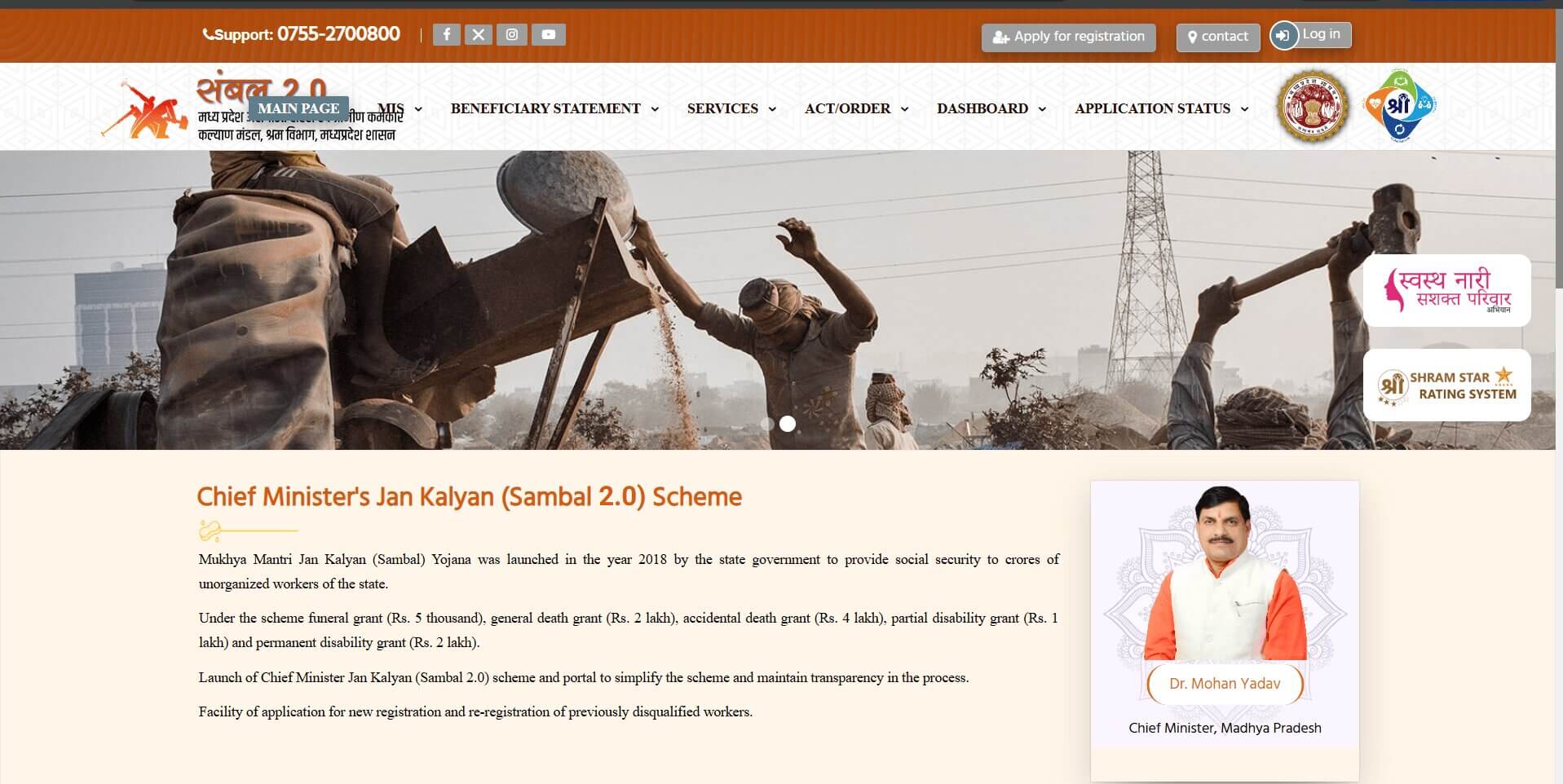
Sambal Card in Short
The Labour Department’s Unorganised Urban and Rural Workers Welfare Board issues the Sambal Card. It is a digital registration card that shows you are enrolled under Sambal 2.0. The key facts are in the table.
| Detail | Information |
|---|---|
| Scheme | Mukhyamantri Jan Kalyan (Sambal 2.0) Yojana |
| Run by | Unorganised Urban and Rural Workers Welfare Board, Labour Department, Madhya Pradesh |
| Started | 1 April 2018. The Sambal 2.0 orders on the portal are dated 5 May 2022 and 29 August 2022 |
| Who it is for | Unorganised workers of Madhya Pradesh |
| Application fee | Nil, as per the CM Helpline scheme page |
| Payment | Direct bank transfer (DBT) |
| Official portal | sambal.mp.gov.in |
| Helpline | 0755-2700800 |
We checked the portal’s home, services, status, benefits, e-KYC and contact pages on 4 November 2026.
What Is the Sambal Card?
The Sambal Card is a digital registration card from the Madhya Pradesh government. It shows that you are registered under the Sambal 2.0 scheme for unorganised workers.
Think of it as your proof of registration. It does not give you money by itself. But it helps your family claim support if something goes wrong.
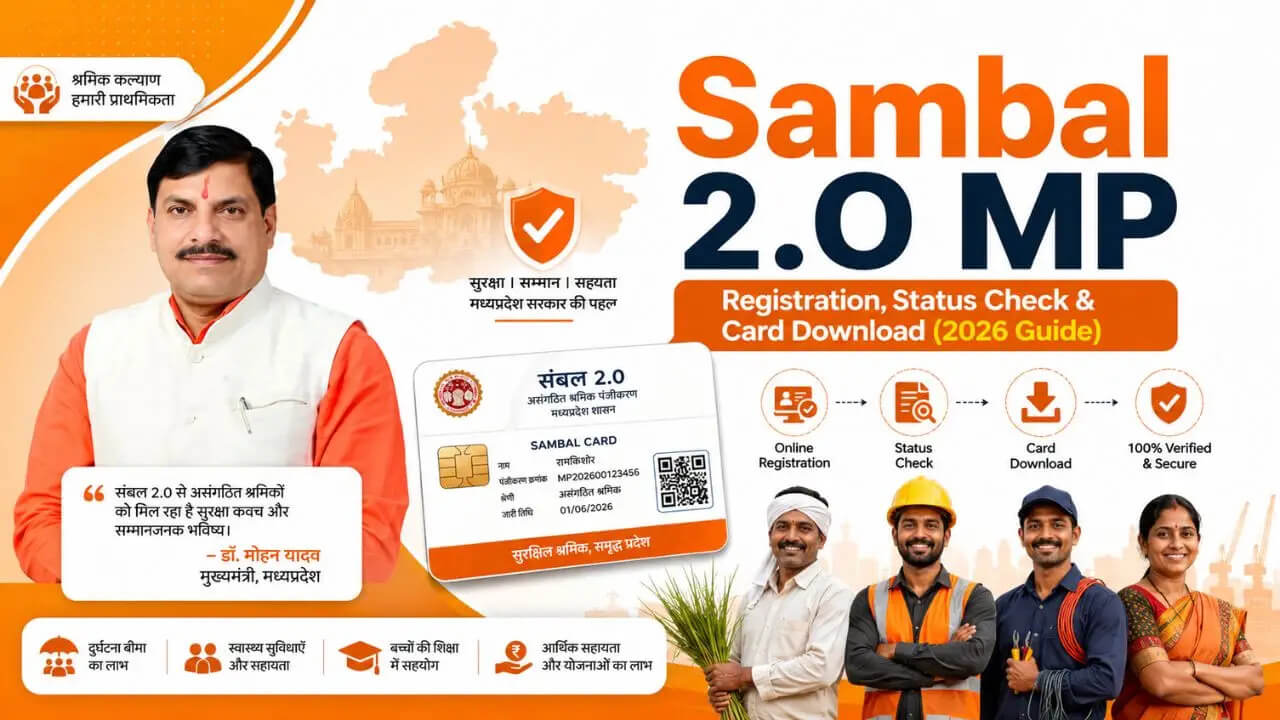
The card shows your Sambal ID, name, father’s or husband’s name, date of birth, gender and category. The back shows your type of work, address, mobile number and a QR code. The portal’s user manual calls it the e-Sambal Card.
Sambal Yojana started in 2018. Sambal 2.0 is the newer version with a new portal. It also lets workers who were rejected earlier apply again.
Is the Sambal Card the same as registration?
No. Registration is the application and the checks. The card is what you get once registration is approved.
You apply on the portal first. An inquiry officer and your local body then verify your details. Only after they approve does the portal create your Sambal ID and let you download the card.
Registration and claims are two separate steps
Registration only puts you on the list. The money comes from a separate claim, filed later by you or your family. Each claim has its own form, its own officer and its own time limit.
So the card does not pay anything on its own. A family that holds the card still has to file a claim when the time comes. That step is covered further down.
Sambal Card Benefits: What Families Can Claim
The official scheme page lists five cash payments. All of them go to the beneficiary’s bank account through DBT.
| Assistance | Amount |
|---|---|
| Funeral assistance | ₹5,000 |
| General (normal) death | ₹2,00,000 |
| Accidental death | ₹4,00,000 |
| Permanent disability | ₹2,00,000 |
| Partial permanent disability | ₹1,00,000 |
The portal’s benefits page also lists a Maternity Assistance Scheme and a College Education Promotion Scheme. Other departments run them. So their rules and amounts come from those departments, not from the Sambal board.
You might see promises of electricity rebates, housing help, or free medical care on other websites. However, the official Sambal portal’s benefits page does not list these perks. Please do not count on them without verifying first ownse.
Sambal Card Eligibility: Who Can Get It
You qualify for a Sambal Card if you are an unorganised worker covered by the Madhya Pradesh scheme and meet the conditions below. The registration form asks you to confirm most of them.
- You work in the unorganised sector and register under the Madhya Pradesh scheme.
- Neither you nor your spouse should own more than one hectare of agricultural land.
- You should not receive PF, ESI or gratuity benefits.
- You should not be in government service.
- You should not be an income tax payer.
Some sources mention an age limit of 18 to 60 years if you have to apply Check the current registration form or confirm with the Labour Department before you apply. The official scheme summary does not state this range.
A BPL card is not among the official conditions we found, though several websites list it.
Check your land first
Not sure how much farm land your family holds? Look it up in your land records. Our MP Bhulekh shows how. If land was bought recently, our guide to stamp duty and registration charges in Madhya Pradesh explains the registry paperwork.
IDs and Details You Need Before You Apply
Keep these ready before you start:
- Your Samagra Member ID and Family ID
- Your Aadhaar number and the mobile number linked to Aadhaar, for e-KYC
- A working mobile number
- Basic work and family details, as shown in the form
- Date of birth and an age-proof document, in case the officer asks for it
Keep your bank passbook nearby too. You may need the account details for benefit payments or claim steps, and it helps at an assisted service centre.
Some applicant and family details are fetched from Samagra records and the Aadhaar is used to verify your identity. Check what the form shows and correct any errors before you submit.
Some guides list a ration card, residence certificate, bank statement and photo as documents. The registration form in the portal’s user manual does not ask you to upload them. Documents uploaded during online registration are one thing. Papers an officer may ask to see later, during local verification, are another.
Sambal Card e-KYC: Do This First
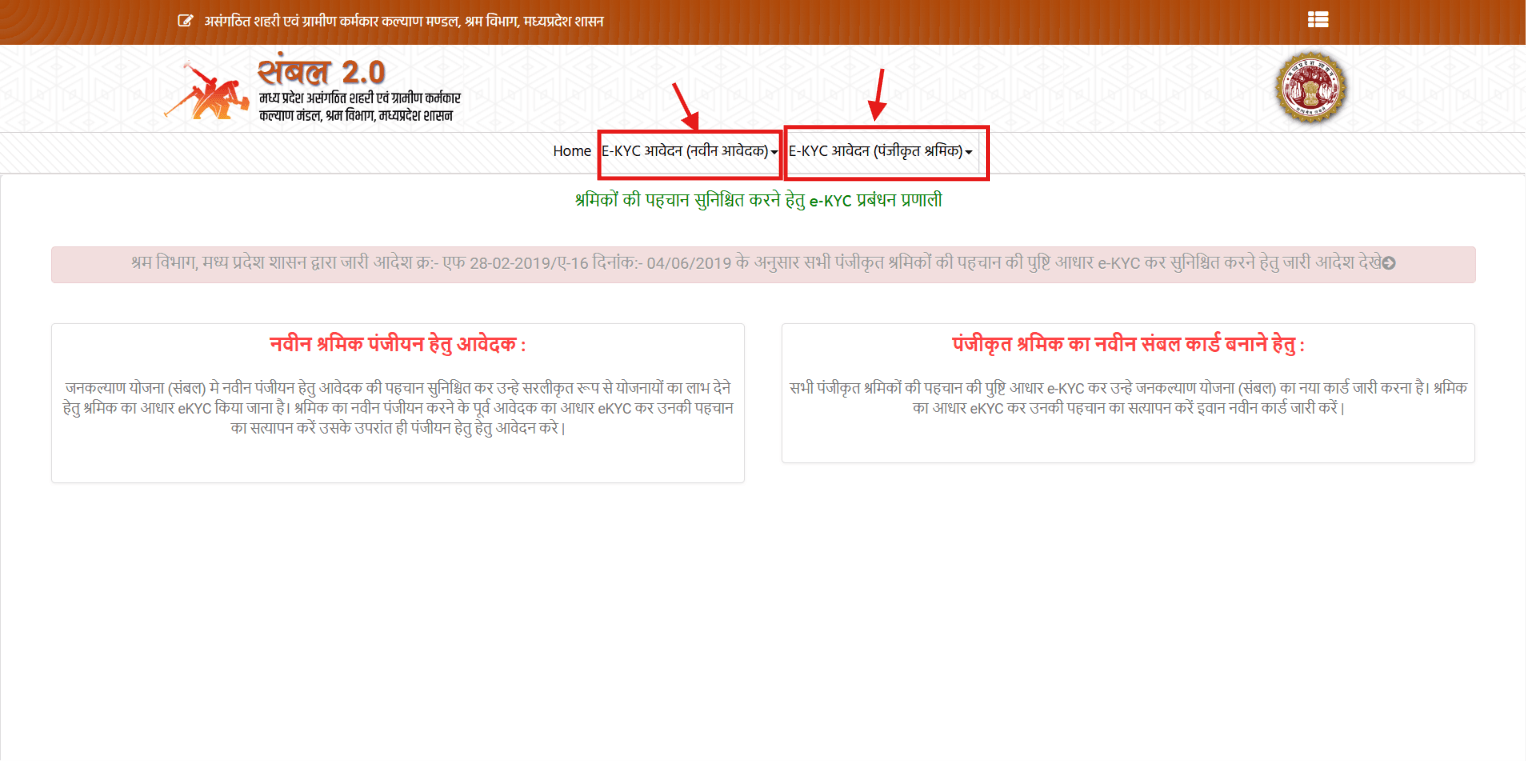
Aadhaar e-KYC comes before registration. The portal’s e-KYC page says a new worker’s Aadhaar e-KYC must be done first, and only then can you apply. It also says registered workers must verify through Aadhaar e-KYC to get a new Sambal card. The page cites a Labour Department order dated 4 June 2019.
The steps are short.
- Open the e-KYC page on the Sambal portal.
- New worker? Click E-KYC Application (New Applicant) and choose Verify Applicant’s Identity Through Aadhaar E-KYC For New Registration. Already registered? Click E-KYC Application (Registered Workers) and choose Verify The Identity Of The Worker Through Aadhaar E-KYC For Issuing A New Card.
- Enter your 9-digit Samagra ID and Family ID.
- Select Aadhaar e-KYC and type your’s 12-digit Aadhaar number.
- Enter the OTP which sent to your registered mobile phone.
- Wait for the success message for the confirmation.
Your mobile number must be linked to Aadhaar, or the OTP will not arrive. Guides say you only need to do e-KYC once. If the page gives you trouble, visit an MP Online or Lok Seva Kendra. The staff there can complete it with you.
How to Apply for the Sambal Card Online
You apply on the official portal with your Samagra ID and Family ID. But finish Aadhaar e-KYC first, using the New Applicant option. Once that is done, come back to the registration page and submit your application. The steps are below.
- Open sambal.mp.gov.in.
- Click Apply for registration at the top right. You can also go to Services, then Registration Application, then Apply for registration.
- Enter your Samagra ID (the page calls it Composite ID), your Family ID and the captcha. Then click the search button.
- Check the details that appear. The form shows what is recorded in Samagra next to what is recorded in Aadhaar. If something is wrong, use Request to update information from Samagra first.
- Fill in the rest: applicant type, education, type of work and mobile number. Then answer the questions on income tax, land and government service.
- Tick the three declarations and click Save application.
- Read the success message. It shows your application number and the details of the inquiry officer. Save both.
What happens after you submit
Your application goes to the inquiry officer of your ward. First an officer reviews your documents and recommends whether to approve or reject your application. After that, your local office like the Nagar Parishad or Janpad Panchayat takes a look and gives the final approval.
Once it is approved, the portal creates your Sambal ID. You can then download the card.
Apply offline and stay safe
You can also apply through MP Online, a Lok Seva Kendra or a Common Service Centre. The scheme page lists these as the offline routes. The application fee is nil.
So don’t pay anyone to “make” your card or download it for you. Use only sambal.mp.gov.in or these official centres. And never share your OTP with an agent.
How to Check Sambal Card Status
The Application Status menu shows where your file stands. Keep your Samagra ID and application number handy.
- Open sambal.mp.gov.in.
- Click Application Status in the top menu.
- Choose Sambal Application Key Status.
- Enter your Samagra ID and application number.
- Click Search.
The same menu has a Status of Grace Application option. Use it to track an ex-gratia claim.
How to Download the Sambal Card
You can download the card once your registration is approved. The usual route is the Beneficiary Details page. Here is how it works.
-
- Open sambal.mp.gov.in.
- Click Beneficiary Details in the top menu. Some pages label it Beneficiary Statement.
- Enter your 9-digit Sambal or Samagra member ID.
- Click View Details. Your name, registration status and card status appear.
- When the card is ready, click Print Sambal Card.
The card opens as a PDF in your phone or pc then you have to save it or keep a printed copy if needed. Verify your name, Sambal ID, date of birth and other details before you use it.
Card not showing? Try the second route. Open Services, then Anugrah application, then Download the applicant card.
A wrong date of birth is easier to fix now than during a claim. If something is wrong, use Request to update information from Samagra in the Services menu.
How to Claim Sambal Yojana Financial Assistance
A claim is separate from registration. Go to Services, then Anugrah application. The portal has one option for each type of claim. Funeral help has its own payment process, listed in the user manual.
Two time limits apply, and they are different.
- Funeral assistance is intended to be provided immediately. The case must then be entered on the portal within seven working days for adjustment. This is not a general seven-day deadline for all Sambal claims.
- Ex-gratia assistance generally has to be claimed within 180 days of the incident. The designated officer can relax this limit.
| Claim | Where to start | Time limit |
|---|---|---|
| Funeral assistance | Funeral payment process in the user manual | Intended to be given at once. Case entered within 7 working days for adjustment |
| Death (ex-gratia) | Services, Anugrah application, Apply for ex-gratia aid (death) | Generally within 180 days of the incident |
| Partial disability | Services, Anugrah application, Apply for Subsidiary Aid (Partial Disability) | Generally within 180 days of the incident |
| Permanent disability | Services, Anugrah application, Apply for Concessional Aid (Permanent Disability) | Generally within 180 days of the incident |
The same menu also shows Apply for Grace Appeal and Application for Ex-gratia Assistance (Based on Certificate). The names above are the ones shown on the portal. The designated officer is the janpad CEO in rural areas. In urban areas it is the municipal commissioner or chief municipal officer.
Appeal against a rejected claim
The scheme page names a different appeal authority for each area.
- Rural areas: SDO (Revenue)
- Municipal corporation areas: an Additional or Deputy Collector nominated by the Collector
- Nagar Palika or Nagar Panchayat areas: SDO (Revenue)
This is separate from the registration appeal, which is covered below.
Check claim and payment status
For an ex-gratia claim, open Application Status and choose Status of Grace Application. The portal’s benefits page also lists successful payments by district, institution and Gram Panchayat or zone. Check your bank account also because payment goes by DBT.A stuck payment usually comes in the pending verification, document errors, wrong bank details or Aadhaar and DBT linking problems. If a claim is late ask your local body or district office and quote your application number.
Sambal Card Application Stuck or Rejected?
Firstly you have to check the status. Just look for your particular problem in the table below. Keep in mind that every situation is a bit different so use these solutions as helpful steps to try out
| Problem | What to try |
|---|---|
| Application pending for a long time | Check status. Then ask your local body about the file, since it gives the final approval. |
| Application rejected | File a registration appeal. The steps are below. |
| Age does not match your documents | Show the officer your school leaving certificate or birth certificate, if they ask for age proof. Then ask them to check the record. |
| Name, date of birth or address is wrong | Use Request to update information from Samagra in the Services menu. |
| Claim delayed | Follow the above the steps to check the staus of claim and also verify that your bank account is linked to Aadhaar for DBT and keep your application receipt or complaint number. |
The portal also keeps pending-case reports at the verifying officer, local body, SDM and DM level. That shows where files can sit. It does not mean a particular officer will clear yours.
How to appeal a rejected registration
This route is for registrations that a local body rejected.
- Open sambal.mp.gov.in and go to Services.
- Click Apply for registration appeal.
- Enter your application ID and Samagra ID.
- After the system checks them, the appeal goes to the SDM’s login.
- The SDM approves or rejects it.
- If it is approved, it returns to the local body for final approval. Your card is then generated.
An appeal against a rejected claim goes to a different officer, as listed above.
Common reasons for rejection
- Samagra details are wrong or do not match Aadhaar.
- A form answer breaks the rules, such as income tax payer, government or PF job, or more than one hectare of land.
- You picked the wrong worker category or entered your type of work wrongly.
- You are already registered, so a second application is not accepted.
- Age proof is missing or does not match.
- A claim has missing or unclear documents.
- Bank details are wrong or not linked to Aadhaar for DBT, which cause delay a payment.
To avoid a rejection, do the e-KYC first, check the eligibility list again and make sure your Samagra record is right. Link your bank account with Aadhaar for DBT. If you need help, an MP Online or Common Service Centre can sit with you. After you submit, check your status regularly
Sambal Card Helpline and Contact
On portal’s Contact page there is one helpline number, one email and one office. So use these before any number you find elsewhere.
- Helpline No: 07552700800
- Email: uwwboard@mp.gov.in
- Address: 52-C, Ground Floor, Vallabh Bhavan 1, Mantralaya, Bhopal (MP) 462004
The portal footer also links the CM Helpline, which is 181. Some websites still print older numbers, so trust the portal’s own page.
Wrapping Up: Sambal Card Without the Stress
The application process is easier. If your Samagra and Aadhaar details are correct. Register on the official portal. Make sure to keep your application. Check the status regularly. Then keep a copy of the card where your family can find it.Remember the two steps. The card proves you are registered. A claim brings the money. Don’t wait for an emergency to learn how the portal works.
Frequently Asked Questions:
1. What is the official website of the Sambal Card?
It is sambal.mp.gov.in, run by the Labour Department’s Unorganised Urban and Rural Workers Welfare Board. So type the address yourself. Skip sites that ask for money to download the card.
2. Who can get a Sambal Card?
Unorganised workers covered by the Madhya Pradesh scheme can apply. Neither you nor your spouse should own more than one hectare of agricultural land. You should also be outside government service and the income tax net, and without PF or ESI cover. Some sources mention an age limit of 18 to 60 years, so check the current form.
3. How do I apply for the Sambal Card?
Click Apply for registration on the portal. Enter your Samagra ID, Family ID and captcha. Then fill in the form, tick the declarations and save the application.
4. Is e-KYC compulsory for the Sambal Card?
Yes, for new applicants. The portal’s e-KYC page says a new worker’s Aadhaar e-KYC must be done before registration. Registered workers must also verify through Aadhaar e-KYC to get a new card. You do it once, with an Aadhaar OTP, and an MP Online or Lok Seva Kendra can help.
5. How do I check my Sambal Card status?
Open Application Status on the portal and choose Sambal Application Key Status. Enter your Samagra ID and application number, then click Search.
6. How do I download the Sambal Card?
Once your registration is approved, open Beneficiary Details on the portal and enter your 9-digit Sambal or Samagra member ID. Click View Details, then Print Sambal Card. The card opens as a PDF which you can save or print easily.
7. Is the Sambal Card a physical card?
The portal’s user manual shows an e-Sambal Card. You download it from the portal in the form of PDF. Save the PDF in your phone and keep a printout if needed.
8. Why is my application pending or rejected?
A pending file is usually waiting for the inquiry officer or the local body. A rejected registration can be appealed from the Services menu. Wrong Samagra details and missing age proof are common reasons to check.
9. Do I have to pay anything for the sambal card application?
No. The scheme page lists the application fee as nil. Don’t pay agents for registration or download.
10. Are education and maternity benefits included in sambal card?
The portal lists a Maternity Assistance Scheme and a College Education Promotion Scheme under schemes run by other departments. Those departments set the rules and amounts. Check with them before you rely on either.
11. Who can I call for help?
Call the helpline on the portal’s Contact page, 0755-2700800. You can also write to uwwboard@mp.gov.in. The CM Helpline, 181, is linked in the portal footer.