
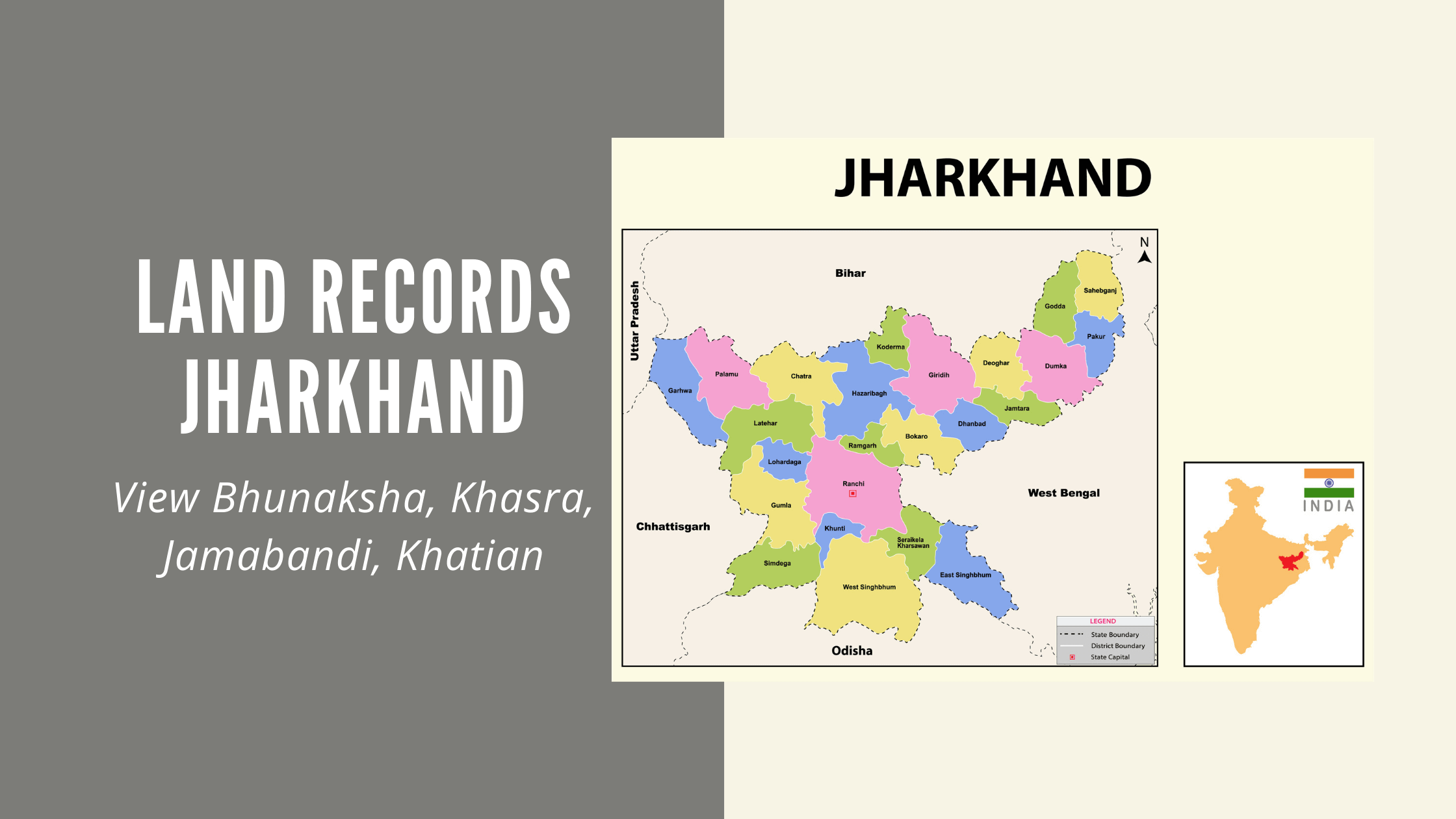
Jharbhoomi is Jharkhand’s official portal for land record of Jharkhand online. Check khata-khasra details, pull up Jharbhoomi naksha maps, track mutation status, pay lagan and download Register-II or Khatian documents – all without a single trip to a revenue office.
This guide walks through everything – logging in, checking bhu naksha jharkhand 2025 and 2026 maps, reading a Jamabandi, registering a Khatian and paying land tax online.
- What is Jharbhoomi?
- What Is the Purpose of Jharbhoomi (Jharkhand Bhumi Jankari)?
- Why Should You Check Your Jharbhoomi Land Records?
- What Are the Additional Benefits of Bhu Naksha Jharkhand?
- How Has Technology Improved Land Surveys in Jharkhand?
- How Are Property Boundaries Determined?
- Why Is a Property Survey Important Before Buying Land?
- How to Check Jharkhand Bhu Naksha Online?
- What Types of Land Show Up in Jharbhoomi Records?
- What Is the Land Registration Process in Jharkhand?
- How to Login to Your Account on the Jharbhoomi Portal?
- How to Check Land Records on the Jharbhoomi Jharkhand Portal?
- How to File a Complaint on the Jharbhoomi Land Record Portal?
- How to View Khasra Details?
- How Do You Read a Jamabandi Record?
- What Are the Steps to Check Khasra Details Online?
- How Do Property Holders Save Tax?
- What Is Jharbhoomi Khatiyan?
- How Can a User Register as a Khatian?
- What Is Register II in Jharbhoomi?
- How Is the Jharbhoomi Portal Used for Online Lagan Payment?
- How to Apply for Online Mutation (Dakhil-Kharij) on Jharbhoomi
- What Are the Benefits of the Jharkhand Land Map (Bhu Naksha)?
- How Can You Check the Application Status on Jharbhoomi?
- Is the Jharbhoomi Printout Valid as a Legal Document?
- Can’t Find Your Land on Jharbhoomi?
- Key Land Record Terms You Should Know (Glossary)
- Final Thoughts: Why Jharbhoomi Matters in 2026
What is Jharbhoomi?
Jharbhoomi – also called Bhulekh Jharkhand or Jharkhand Bhumi Jankari – is the state’s official digital home for land records. Ownership details, Jharbhoomi naksha plot maps, mutation status and tax payments all live here.
Before Jharbhoomi existed, understanding your own land was harder than it should have been. Paper records were inconsistent. Verifying ownership meant a trip – sometimes several. The Revenue, Registration and Land Reforms Department of Jharkhand, working with the National Informatics Centre (NIC), set out to fix that by moving land record of Jharkhand online across all 24 districts.
The result? No more shuffling between offices for a sale, an inheritance check or a simple verification. Just as importantly, people finally got a clear window into what their land actually is – on paper and on the map.
So which website is the real one? The department now runs Jharbhoomi at jharbhoomi.jharkhand.gov.in. You’ll still find plenty of older guides that point to jharbhoomi.nic.in, since that was the address for years. The map has its own site at jharbhunaksha.jharkhand.gov.in, and land tax goes through jharbhulagan.jharkhand.gov.in. Sites like jharbhoomi.com, jharbhumi.com and jharbhoomi.co.in come up a lot in search, but they aren’t run by the government. Some of them are simply guides. Either way, don’t enter your login details or make a payment on them.
|
What you want to do |
Official website |
|
Check Khatian, Register-II, khata details |
jharbhoomi.jharkhand.gov.in |
|
See or download your plot map (Bhu Naksha) |
jharbhunaksha.jharkhand.gov.in |
|
Pay lagan and download the receipt |
jharbhulagan.jharkhand.gov.in |
What Is the Purpose of Jharbhoomi (Jharkhand Bhumi Jankari)?
Jharbhoomi (Jharkhand Bhumi Jankari) exists to centralize revenue and registry records – ownership transfers, mutation, lagan payments and Jharbhoomi naksha maps – into one portal.
Built by the Jharkhand Revenue Department and Land Reforms division with NIC, the portal handles:
- Khatian registration
- Jharbhoomi naksha (map) records
- Online lagan payments
- Mutation applications and status tracking
Zoom out and the National Land Records Modernization Program is chasing three things:
- Reliable, conclusive titles for immovable property
- Digitized maps with textual and spatial data tied together
- Records of rights – landholder name, plot dimensions, revenue rate – linked to registered sale deeds as transfer proof
Why This Matters for Different Users
|
User Type |
How Jharbhoomi Helps |
|
Prospective buyers/investors |
Verify ownership and plot history before purchase |
|
Existing landowners |
Track mutation, pay lagan, download Khatian/Register-II |
|
Banks/lenders |
Use digital khata as supporting collateral documentation |
|
Tenants and renters |
Cross-check tenant claims against registered owner records |
Living outside Jharkhand? An NRI managing ancestral land can do most of this remotely – no need to fly back just to check a record.
What Other Land Record Services Does Jharbhoomi Offer?
Jharbhoomi maintains textual records, maps, survey/settlement data, online mutation and immovable property registration – and makes outright fraud a lot harder to pull off.
A few principles worth knowing:
- Cadastral records aim to mirror ground reality – the title record should be the true ownership status
- Mutation is automated and linked to registration, cutting down manual cross-checking
- Land transfers tied to government schemes flow through the same system
- Revenue and registry records are digitized end-to-end
- Online mutation tracking replaces the old paper trail
Behind the scenes, modern surveys use GPS, robotic total stations and aerial or terrestrial scanners. The theodolite – that classic instrument for measuring horizontal and vertical angles – still does plenty of work on the ground. If a recorded loss affects a titleholder, the Department of Revenue has a compensation mechanism in place.
Why Should You Check Your Jharbhoomi Land Records?
Checking your Jharbhoomi land records confirms ownership before a sale, verifies mutation after a transfer and supports loan applications, inheritance matters and dispute resolution.
Common reasons people pull up their land record of Jharkhand online:
- Mutation verification – did the name change actually go through?
- Loan or credit applications – banks often want verified records as backup
- Bank account opening – sometimes used as supporting proof
- Title verification – before a sale or registration
- Boundary disputes – comparing two similar-looking adjacent plots
- Family property matters – inheritance and succession
- Fraud checks – spotting duplicate or suspicious claims early
It wasn’t long ago that confirming a basic detail meant a queue, a form and a wait. Manual handling also made tampering easier than it should have been. The online Jharbhoomi land record portal fixes both – free access, anytime, no middleman required.
Planning to apply for a loan or settle a family property issue? Start with a Jharbhoomi land record check. It’s the fastest first step you can take.
What Are the Additional Benefits of Bhu Naksha Jharkhand?
Bhu Naksha Jharkhand is more than a map you glance at. Its survey numbers are the backbone of dispute prevention – and that matters whether you’re checking bhu naksha jharkhand 2025 archives or this year’s updated maps.
A few more wins worth flagging:
- Land tax payments fold into the same ecosystem
- Rural landowners get access without leaving home
- Buyers eyeing rural land get a verification layer before they commit
- A single reference point for bhulekh Jharkhand information
- Better transparency in how the Jharkhand land record management system shares data
- Mutation, transfer, tax payment and revenue digitization – all in one place
- Survey numbers that cleanly separate similar-looking nearby plots
- A shared reference for investors, buyers and residents researching Jharbhoomi land records
How Has Technology Improved Land Surveys in Jharkhand?
Jharkhand’s geodetic, boundary and cadastral surveys now combine satellite data with ground tools like GPS receivers and theodolites – and that accuracy is what feeds into Jharbhoomi naksha.
Geodetic surveys handle the big picture using aerial and satellite data. Boundary and cadastral surveys zoom in on individual plot lines. Put the two together and you get the reasonably accurate outlines you see on a Jharbhoomi naksha map today.
A map is only as good as the survey behind it. For any bhu naksha jharkhand 2026 reading you plan to rely on, a quick ground check never hurts.
How Are Property Boundaries Determined?
Licensed surveys – typically valid for around 10 years – fix property boundaries using tools like the theodolite, which measures angles between reference points to lock in the line.
A boundary is the legal edge of a property and it’s the thing that prevents encroachment. A certified surveyor establishes it and that data becomes the basis for the Jharbhoomi naksha on file. Because survey validity is time-bound, older boundary data in fast-developing areas may need a fresh look.
If your Jharbhoomi naksha plot boundary doesn’t match what you see on the ground, request a re-survey through your local revenue office before you rely on it for anything important.
Why Is a Property Survey Important Before Buying Land?
A survey confirms there’s no encroachment, checks that boundary lines match the seller’s claims and records details – soil type, shape, size – that matter for both legal protection and the value of your investment.
A solid survey is what stands between you and a future boundary dispute. It gives you dimension-accurate facts instead of guesswork – including, for agricultural plots, the soil and irrigation details that affect what you can actually grow. Pair the digital view from Jharbhoomi naksha with a physical survey and you get a much fuller picture of what you’re buying.
Treat Jharbhoomi naksha as your starting point – not your final answer. A site visit still earns its place before you sign anything.
How to Check Jharkhand Bhu Naksha Online?
Visit the Jharbhoomi Bhunaksha portal, pick your district, halka and mauza, choose your plot number, then open “Map Report” under Plot Info.
- Visit the official Jharkhand Bhunaksha portal (via jharbhoomi.jharkhand.gov.in or the dedicated bhunaksha link).
- Select your district, halka (revenue circle) and mauza (village).
- Click your plot/survey number.
- Open “Map Report” under “Plot Info” to view the map – whether you need a bhu naksha jharkhand 2025 reference or the current 2026 version.
No account needed just to view a Jharbhoomi naksha. Login only becomes relevant if you want to download certain reports.
If you’d rather skip the main portal, go straight to jharbhunaksha.jharkhand.gov.in. That’s the map site itself, and it opens on the same district, halka and mauza menus.
People often search for a “Bhunaksha Jharkhand login” and then get stuck at the login box. That box is meant for department staff who update the maps. As a landowner or buyer, you can find your plot, see its shape and neighbours, and print or download the map without signing in.
One more thing to keep in mind is that the online map is a reference copy. For a court case or a boundary dispute, you’ll need a certified map from the circle office.
How Do You Download and Print Jharkhand Bhunaksha?
Once your plot loads on the Jharbhoomi naksha map, hit “Download” to save it or “Print” for a hard copy – both options sit right on screen.
This used to mean an office visit for a field map, full stop. Now:
- Open the official Bhunaksha portal.
- Enter your district, halka, mauza and plot details to pull up the map.
- Choose “Download” for a digital copy or “Print” for paper.
Save that downloaded Jharbhoomi naksha somewhere you’ll find it again – mutation paperwork, loan applications and boundary disputes all tend to ask for it eventually.
How Can You Check Bhu Naksha Jharkhand on the Jharbhoomi App?
There’s no app we could confirm as the government’s own. If you search “Jharbhoomi” on the Play Store, you’ll find several, but they’re made by private developers. Some just open the government website inside the app, while others ask for more details than they need.
The simpler way on a phone is to open jharbhunaksha.jharkhand.gov.in in your browser. The site works on mobile, and the steps are the same as on a computer: pick your district, halka and mauza, then tap your plot.
If you do use a third-party app, don’t make lagan payments or enter your Jharbhoomi password in it.
What Types of Land Show Up in Jharbhoomi Records?
Before buying land in Jharkhand, check what kind of land the record says it is. Some land simply can’t be sold to just anyone, however good the deal looks.
|
Land type in the record |
What it means for a buyer |
|
Raiyati land |
Land held by a private owner (raiyat). It can usually be bought and sold, subject to the points below. |
|
Land under the CNT Act |
In the Chotanagpur region, the Chotanagpur Tenancy Act limits the transfer of land held by Scheduled Tribes and certain other groups. Sales to outsiders are restricted. |
|
Land under the SPT Act |
In Santhal Pargana, the Santhal Pargana Tenancy Act puts similar limits on transfers. |
|
Gair mazarua land |
Government land. It isn’t private property, and a seller can’t pass on clear title to it. |
|
Agricultural land |
Can be bought and sold, but using it for a house or a shop may need a change of land use. |
So if the record shows government land or a tribal holding, stop and take legal advice before paying anything. Many land disputes in Jharkhand start right here.
What Is the Land Registration Process in Jharkhand?
Registration means checking the circle rate, calculating stamp duty and fees, paying online and then signing off at the sub-registrar’s office – buyer, seller and two witnesses present.
Step-by-Step Process
- Estimate the circle rate for the property’s location – it varies by land type.
- Calculate stamp duty and registration fees based on property value and circle rate.
- Pay online before your appointment.
- Book a slot with the relevant sub-registrar’s office.
- Show up and sign – buyer, seller and two witnesses, in front of the sub-registrar, finalizes it.
Documents Necessary for Land Registration
- Property description (area, pin code)
- Property type (residential, commercial, industrial, agricultural)
- Ownership history (purchase, lease, gift, etc.)
- Owner details (name, occupation, age)
- Title deed and power of attorney, where applicable
Essential Documents for Physical Submission
- Non-judicial stamp matching the deal value
- Passport-sized photos of buyer and seller on each document copy
- E-stamp paper reflecting the correct duty value
- PAN card copy
- E-registration fee receipt with undertaking
- Original ID proof for both parties
- TDS receipt, if the property is valued above ₹50 lakh
- Ownership history document, for house property
Quick Reference Table
|
Stage |
What Happens |
|
Circle rate check |
Determines minimum valuation for stamp duty |
|
Fee calculation |
Stamp duty + registration fee computed |
|
Online payment |
Fees paid digitally before appointment |
|
Sub-registrar visit |
Document signing by buyer, seller, two witnesses |
Registration and Jharbhoomi mutation aren’t the same thing. Registration transfers legal title at the sub-registrar’s office. Mutation updates the Jharbhoomi land record to reflect the new owner for revenue purposes. Both matter – neither replaces the other.
How to Login to Your Account on the Jharbhoomi Portal?
A Jharbhoomi login means visiting jharbhoomi.jharkhand.gov.in (older links use jharbhoomi.nic.in), registering if you’re new, then entering your email, password and the security code shown.
- Go to jharbhoomi.jharkhand.gov.in and open the login page.
- New here? Register first, then come back to log in.
- Enter your email ID.
- Enter your password.
- Type the captcha/security code shown on screen.
- Click Login.
Once you’re in, you can pull plot size, dimensions and the documents tied to that land – exactly what you need to decide whether to move forward with a purchase or dig deeper.
Bookmark the real login page on jharbhoomi.jharkhand.gov.in. If a site promises “faster Jharbhoomi access” and isn’t on a .gov.in or .nic.in address – including any jharbhoomi.com or jharbhumi.com lookalike – steer clear. Same goes for your login credentials: never share them.
How to Check Land Records on the Jharbhoomi Jharkhand Portal?
Click “Check Your Account,” pick your district on the map, then your block and fill in details like ground type, name and mauza to pull up your land record of Jharkhand online.
- On the Jharbhoomi Jharkhand portal, click “Check Your Account” on the left of the home screen.
- Click your district on the map that appears.
- A Jharbhoomi naksha block map loads – tap your block.
- Fill in:
- District and ground type
- First, last or short name
- Your mauza
- Any additional filters needed
Records can occasionally lag or get muddled, so it’s worth checking your land record of Jharkhand online directly through the official portal now and then – rather than trusting an old printout.
District – block – mauza. That’s the rhythm. Once you’ve done it once, every other Jharbhoomi service – Bhu Naksha, mutation status, all of it – follows the same pattern.
How to File a Complaint on the Jharbhoomi Land Record Portal?
Open the Jharkhand Bhulekh website, head to the Revenue and Land Reforms Public Grievance Portal, fill in your complaint and submit.
- Visit the main Jharkhand Bhulekh website.
- Open the Revenue and Land Reforms Public Grievance Portal.
- Fill in the details of your issue.
- Click Submit.
From there, the department reviews complaints – fraud, mishandled records, whatever the issue is – and works toward a fix. Where a genuine error in recorded dimensions or details turns up, the affected party can expect it to be addressed.
Screenshot your submission or note the reference number. If follow-up is needed later, it saves you from starting over.
How to View Khasra Details?
On the Bhulekh Jharkhand website, open the Khasra details section, enter your khasra (survey) number and hit search.
A khasra number uniquely identifies a land parcel – especially in rural areas – and doubles as a survey number for village land. Some states call this same record a Fard or Jamabandi. One khasra can have several owners. A mauza, meanwhile, is just an administrative village or locality unit. The Jamabandi itself is the village-level record of rights – owner names, cultivated area, ownership shares, all in one place.
Got a location but no khasra number? Start with the Jharbhoomi naksha map – it links visually to the right khasra for that plot.
How Do You Read a Jamabandi Record?
In Jharkhand, the Jamabandi is kept in Register-II, also called the Jamabandi Panji. It’s the running account of who holds a piece of land today and how much lagan they owe on it. On Jharbhoomi, you’ll find it under “Register-II”.
When you open an entry, these are the parts worth reading:
|
Part of the entry |
What it tells you |
|
Jamabandi number |
The account number for this holding in the register |
|
Raiyat’s name and father’s name |
Who the land is recorded under right now |
|
Khata and plot (khesra) numbers |
Which plots belong to this holding |
|
Area |
How much land each plot covers |
|
Lagan and dues |
The yearly land rent and any amount still pending |
|
Mutation entries |
Changes after a sale, gift or inheritance |
The Khatian shows the land as it was recorded in the survey. Register-II shows who holds it today. So when you’re buying land, compare the two. If the seller’s name is in Register-II but the history doesn’t match the Khatian, ask how the land came to them before you go any further.
What Are the Steps to Check Khasra Details Online?
Go to jharbhoomi.jharkhand.gov.in, pick your district from the map, then your block, fill in the form and search.
- Visit jharbhoomi.jharkhand.gov.in.
- Use the menu on the left side.
- Select your district from the map.
- Choose your block from the resulting map.
- Fill in district, last/short name, mauza name and page number.
- Click Search.
The same portal handles online lagan payments and application status checks too – it’s worth treating as your single starting point for land record of Jharkhand online needs.
Have your mauza name and a rough khasra/page number ready before you start. It cuts the search time noticeably.
How Do Property Holders Save Tax?
When you sell land or a house, the profit is taxed as a capital gain. How it’s taxed depends on how long you owned the property.
|
How long you held it |
Type of gain |
How it’s taxed |
|
24 months or less |
Short-term |
Added to your income and taxed at your slab rate |
|
More than 24 months |
Long-term |
12.5% without indexation, for sales on or after 23 July 2024 |
There’s one exception. If you’re an individual or a family (HUF) and you bought the property before 23 July 2024, you can choose to pay 20% with indexation if that works out lower.
This is where Jharbhoomi helps. The mutation date, lagan receipts and Register-II history help you prove when the land became yours and what you paid for it. Tax rules change with budgets, so check the current rates with a tax adviser before you sell.
What Is Jharbhoomi Khatiyan?
Khatiyan – a Persian-origin term meaning “record of rights” – is the legal document created through survey work that establishes ownership, possession and the basis for land development tax.
Think of Khatiyan as a plot’s identity card. It comes from formal survey work and serves several purposes:
- Pinning down easements and encroachments
- Supporting compliance with local development codes
- Preventing disputes between owners and prospective buyers
- Protecting against manipulated ownership claims
A Khatiyan plus a Jharbhoomi naksha gives you the legal basis (Khatiyan) and the spatial basis (naksha) for a plot. For real due diligence, you want both.
How Can a User Register as a Khatian?
Visit Jharbhoomi, select “See Account and Register,” choose Khatian, fill in district, area, account number and land type, then submit.
- Visit the official Jharbhoomi portal.
- Select “See Account and Register”.
- Choose Khatian on the next page.
- Enter district, area, account number and land type.
- Submit to complete Khatian registration.
Make sure the account/khata number matches your Jamabandi exactly. Mismatches are the single most common reason these requests stall.
What Is Register II in Jharbhoomi?
Register-II is a consolidated digital record – land type, Jamabandi number, khasra and khata – grouped under one account number for everyone holding a particular landholding.
Following a state government directive, officers have steadily moved this information into Register-II. The khata number inside it is the family/group account number – the one that ties together everyone with a stake in that land. Individual khasra numbers can be pulled by logging into the portal directly.
For families sharing ancestral land, Register-II is the shortcut – one account number, multiple khasra entries, all in one place.
How Can You Enroll for Register II on Jharbhoomi?
Visit Jharbhoomi, select “Account and Register II,” choose Register II, fill in district and land type details, then submit – enrollment is usually immediate if your details match existing records.
- Visit the official Jharbhoomi portal.
- Select “Account and Register II”.
- Choose Register II.
- Enter district name, land type and any other requested details.
- Submit the form.
If everything matches the database, enrollment confirms right away.
Have your Jamabandi/khata details on hand before you start. Matching them exactly the first time saves a round of corrections later.
How Is the Jharbhoomi Portal Used for Online Lagan Payment?
Click “Online Lagan” on the homepage, select “Pay Online,” enter your plot and khata number, complete the captcha and pay by card, UPI or net banking.
Steps for Jharbhoomi Lagan Payment
- Go to Jharbhoomi (jharbhoomi.jharkhand.gov.in).
- Tap “Online Lagan”.
- Select “Pay Online”.
- Choose district, circle, mauza and other dropdowns as prompted.
- Enter the captcha code and click Search.
- Review the dues, then pay via card or net banking.
This Jharbhoomi lagan flow lets landowners settle their annual land rent directly with the Revenue and Land Reforms Department, using their plot and khata numbers as reference.
Download or screenshot your Jharbhoomi lagan receipt every time. Future mutation or registration paperwork tends to ask for it.
Lagan now has its own site too, JharBhuLagan, at jharbhulagan.jharkhand.gov.in. The “Online Lagan” button on Jharbhoomi takes you there. Once it opens, you’ll see four options, and each one does something different:
|
Option |
What it’s for |
|
View dues (बकाया देखें) |
Check how much lagan is pending on your land |
|
Previous payments (पिछला भुगतान देखें) |
See what you’ve already paid |
|
Pay online (ऑनलाइन भुगतान करें) |
Pay by net banking, debit card or UPI |
|
Payment status (भुगतान की स्थिति देखें) |
Check whether a payment went through |
Lost an old receipt? You don’t have to visit the circle office for it. Search your land again under previous payments, and you can download the receipt, or rasid, from there.
It also helps to check your dues before a sale or a loan. Banks often ask for the latest lagan rasid, and pending lagan is one of the first things a buyer’s lawyer looks for.
How to Apply for Online Mutation (Dakhil-Kharij) on Jharbhoomi
Buying land doesn’t change the government record on its own. After the sale deed is registered, the new owner’s name still has to be entered in the land record, and that step is called mutation, or dakhil-kharij. Until it’s done, the previous owner’s name keeps showing on Jharbhoomi, and you may not be able to pay lagan in your own name.
You can apply online:
- Log in to Jharbhoomi with your registered email and password. If you’re new, register first.
- Open the online mutation application.
- Fill in the land details from your sale deed, including the district, circle, mauza, khata and plot number.
- Upload the documents the form asks for. These usually include the registered sale deed, your Aadhaar card and the stamp duty receipt.
- Submit the form and note down the application number.
After that, the circle office checks the papers and may ask for objections before approving the change. You can follow the progress under “Online Application” on the portal, using the steps further below.
What Are the Benefits of the Jharkhand Land Map (Bhu Naksha)?
The Jharkhand land map gives you Khasra, Khatauni and plot details from one portal – no office-hopping, with printing built right in.
The short list:
- No multi-office runs for related documents
- Real time savings – minutes instead of half a day
- Built-in printing for land documents
- Less room for fraud, thanks to transparent digital records
Combine Bhu Naksha, Jharbhoomi naksha downloads and Register-II records and you’ve got a fairly complete digital picture of a property – though for big-ticket transactions, a physical check is still worth the time.
How Can You Check the Application Status on Jharbhoomi?
Visit Jharbhoomi, click “Online Application,” and log in with your registered email and password – new users register first.
- Visit the official Jharbhoomi portal.
- Click “Online Application”.
- Registered? Log in with email and password to view status.
- Not registered? Sign up first, then check.
If a mutation or Khatian application status hasn’t budged in a while, use the grievance portal instead of reapplying. A duplicate application usually just adds to the pile.
Is the Jharbhoomi Printout Valid as a Legal Document?
Not on its own. What you see on Jharbhoomi, and what you print or download from it, is a free copy for information. It’s useful for checking ownership, but banks, courts and government offices usually want a certified copy.
For that, apply at your circle (anchal) office with the khata and plot details. A good habit is to check the record online first, so you know exactly what to ask for, and then get it certified.
Can’t Find Your Land on Jharbhoomi?
This happens more often than you’d think, and the cause is usually one of a few small things.
The halka or mauza may be wrong. Old papers sometimes list a village under a different circle, so try the neighbouring halka as well. The name may also be spelled differently, because most entries are in Hindi. If an English search finds nothing, search by plot or khata number instead. Finally, older records may not be fully digitised yet.
If none of that works, contact the circle office with your papers. If the record really is wrong, raise a complaint through the portal instead of filing a fresh application.
Key Land Record Terms You Should Know (Glossary)
|
Term |
Meaning |
|
Khata |
Account/record-of-rights document showing ownership details for a landholding |
|
Khasra |
Individual plot survey number with location, boundary and classification details |
|
Jamabandi |
The record of who holds the land today and the lagan due, kept in Register-II in Jharkhand |
|
Mauza |
Administrative village/locality unit used for revenue purposes |
|
Halka |
A revenue circle covering multiple villages/mauzas |
|
Lagan |
Annual land tax payable to the state government |
|
Mutation |
Process of updating ownership records after sale, inheritance or gift |
|
Khatiyan/Khatian |
Legal record of rights document establishing ownership and land classification |
|
Register-II |
Consolidated digital record covering khata, khasra and Jamabandi details for a family/account |
|
Rasid |
The receipt you get after paying lagan, often asked for by banks and buyers |
|
Raiyat |
The person who holds the land and pays lagan on it |
Bookmark this table. Nearly every Jharbhoomi service – mutation, Khatian, Register-II, Bhu Naksha – circles back to these terms.
Final Thoughts: Why Jharbhoomi Matters in 2026
Jharbhoomi remains the backbone of how Jharkhand residents interact with their land. Ownership data, Jharbhoomi naksha maps, mutation status, Register-II records, lagan payments – all in one place, all accessible from a phone or a desktop.
Expect 2026 to bring small, steady upgrades: a smoother app, faster mutations, broader urban coverage layered on top of an already well-digitized rural land record of Jharkhand online. And if you’re still seeing references to bhu naksha jharkhand 2025 in older documents or saved links, don’t worry – the same plot-level data carries forward into the current system.Whatever brought you here – checking a Khatiyan, downloading a Jharbhoomi naksha, paying lagan – jharbhoomi.jharkhand.gov.in remains the most direct, transparent way to handle it.
If you need help, contact the Department of Revenue, Registration and Land Reforms, Government of Jharkhand, at the Project Building, Dhurwa, Ranchi 834004 (phone: 0651-2446066). For anything about a specific plot, though, your circle office will usually sort it out faster.
Explore Land Records in Other States
|
Karnataka |
|
|
Andhra Pradesh |
|
|
Chhattisgarh |
|
|
Uttarakhand |
|
|
Tripura |
|
|
Rajasthan |
|
|
Punjab |
|
|
Madhya Pradesh |
|
|
West Bengal |
|
|
Odisha |
|
|
Bihar |
|
|
Tamilnadu |
|
|
Maharashtra |
|
|
Uttar Pradesh |
Frequently Asked Questions:
1. Is Jharbhoomi naksha available for all districts of Jharkhand?
Yes – Jharbhoomi naksha (Bhu Naksha) covers all 24 districts through the official portal.
2. Is jharbhoomi.com or jharbhumi.com the official site?
No. The official portal is jharbhoomi.jharkhand.gov.in, and older links on jharbhoomi.nic.in also belong to the government. Treat any .com version as unofficial and avoid entering personal details there.
3. Is land record of Jharkhand online available for both rural and urban areas?
Yes – rural, urban and agricultural categories are all covered.
4. How do I register a Khatian on Jharbhoomi
Select “See Account and Register II,” choose Khatian, enter the requested details and submit.
5. Where can I find official Jharbhoomi land record information?
jharbhoomi.jharkhand.gov.in is the official source, with maps on jharbhunaksha.jharkhand.gov.in and lagan on jharbhulagan.jharkhand.gov.in.
6. How do I file a complaint about incorrect land records on Jharbhoomi?
Open the Public Grievance Portal on the Jharbhoomi website, select the complaint option and submit with supporting details.
7. How do I download my Jharbhoomi lagan receipt?
Open JharBhuLagan from the “Online Lagan” button, search your land under previous payments, and download the receipt. This also works for receipts from earlier payments.
8. Do I need a login to see Bhu Naksha Jharkhand?
No. You can view, print and download your plot map without logging in. The login on the Bhunaksha site is for department staff.
9. How do I apply for mutation (dakhil-kharij) in Jharkhand?
Log in to Jharbhoomi, open the online mutation form, fill in the land details from your sale deed and upload the documents, such as the sale deed, your Aadhaar and the stamp duty receipt. Then track the application under “Online Application”.
10. Is a Jharbhoomi printout accepted by banks?
Usually not on its own. Banks and courts generally ask for a certified copy from the circle office, along with the latest lagan receipt.
11. Can I buy tribal land in Jharkhand?
In most cases, not freely. Land held by Scheduled Tribes in the Chotanagpur and Santhal Pargana regions is protected under the CNT and SPT Acts, and transfers to outsiders are restricted. Check the land type in the record and take legal advice before paying anything.